All your computers.
All your agents, one window.

Claude Code, Codex, your editor and terminal in one window. Pick up sessions on your other computers, end-to-end encrypted between devices.

The agent view showing a conversation continued from another computer

Your workflow in view.

Switch between agents, code and notes in the same window.

Agents. Find sessions that need you and keep Claude Code and Codex side by side.

NexusCode agent view with child conversations under a lead conversation and a permission request

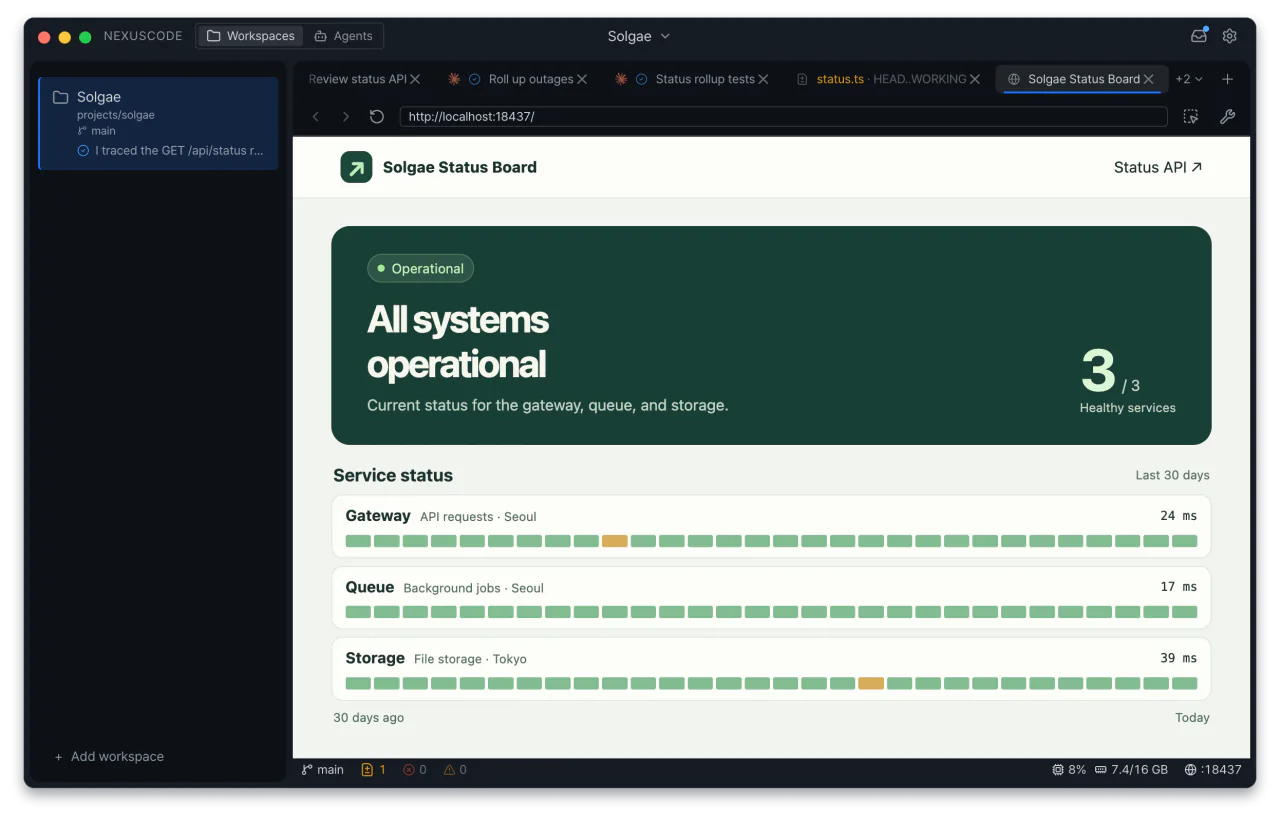
Workspaces. Give every project its own file tree, editors and terminals.

NexusCode with a file tree, code editor, terminal and agent chat

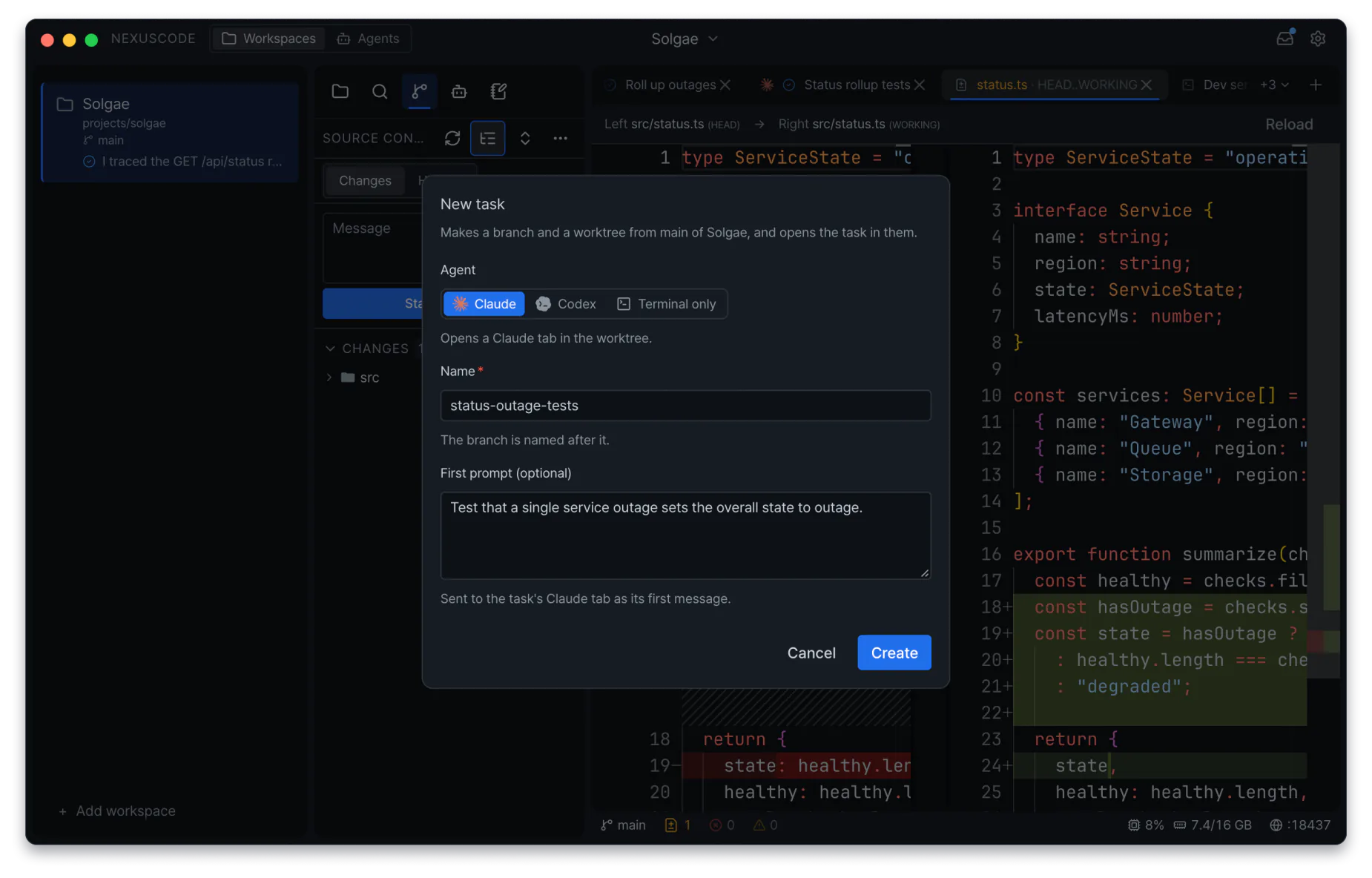
Tasks. Use Git worktrees to run agents in parallel on separate branches.

NexusCode New Task dialog for assigning an agent and creating a Git worktree

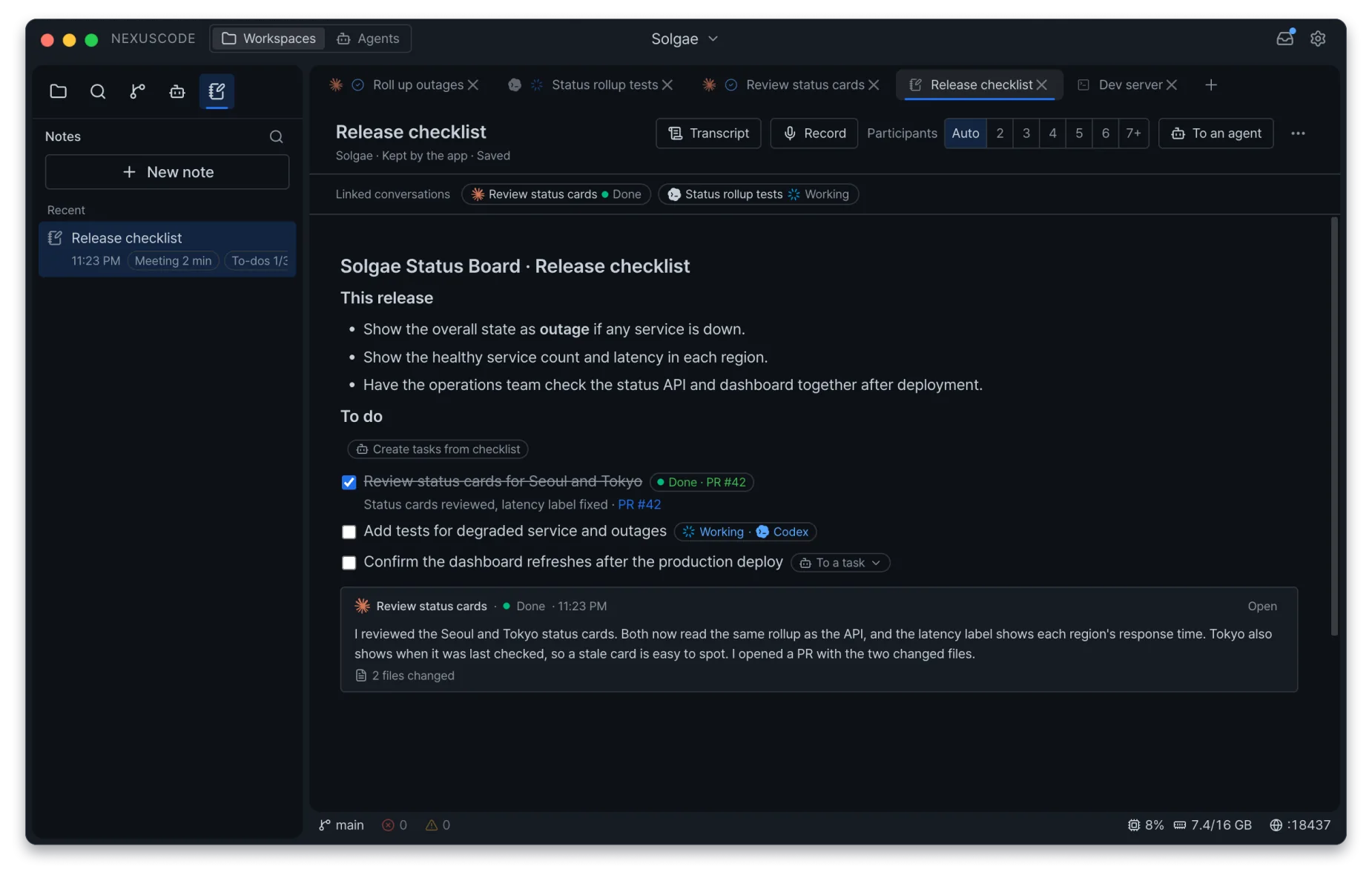
Notes. Collect notes and to-dos, hand a to-do to an agent and get the result back in the note.

NexusCode note with linked conversations, to-dos handed off as tasks and a live conversation card

All your computers, together.

Open chats, terminals and files from every computer signed in to your account.

Mac mini
Connected computer Mac mini Connected
  • Review search filtersClaude Code
    Needs reply
  • Add keyboard testsCodex
    Running

Sessions. Open Claude Code and Codex chats and terminals running on your other computers.

Mac mini
Connected computer Mac mini Connected
atlas-web › bun run dev
✓ Development server running
http://localhost:5173

Terminal. Open the terminal on a connected computer and see its output.

Mac mini
Connected computer Mac mini Connected
  • src/search/filters.ts
  • tests/search.test.ts
  • docs/release-notes.md

Files. Browse files, Git changes and commit history in a workspace on another computer.

Control on your terms

When the other computer allows it, send messages, answer permission requests and type into terminals.

This computer

Review the search filters.

Waiting for approval on the receiving device
Mac mini

Work request from another computer

Allow this request

The relay can't read your content.

Chats, terminals, files and session lists are end-to-end encrypted between your devices. The server doesn't store your conversations.

Your computer Relay server Your other computer Encrypted Encrypted Can’t read the contents

Voice input and note recording aren't end-to-end encrypted. Audio goes through the server to Soniox for speech recognition. Privacy policy

iOS app coming soon

Once it's out, you'll get notifications, see your sessions and answer permission requests from your phone.

Meetings become notes.

Record a meeting and keep the transcript, grouped by speaker, in your notes.

Weekly meeting

Recording

Record a meeting on your computer.

Transcribe by speaker

  • Speaker 1

    Let's set the release scope.

  • Speaker 2

    I'll start with tests.

Speech turns into text as you talk, grouped by speaker.

Keep in notes

  • Speaker 1

    Let's set the release scope.

  • Speaker 2

    I'll start with tests.

The transcript stays in your note with your notes and checklists.

Recordings with several speakers are transcribed once more afterwards for accuracy. Turn on recording summaries and your Claude account summarizes the meeting and adds its to-dos to the note.

Voice input

Dictate messages with live transcription, even when you mix Korean and English. Add names and terms you use often.

Give each agent its role.

Set an account, model and instructions for each tab, and let one agent hand work to another and get the result back.

atlas-web
Claude · Lead

Fix the login bug and have another agent review the change.

Bashnexus chat new --agent codex --profile "Team account" --instructions-file implementer.md --prompt "Fix the login bug"

Just ask

Tell the lead agent what you need. It opens new tabs with the nexus command and splits up the work.
atlas-web
Claude · LeadCodex · ImplementTeam account

Fix the login bug

Codex · Team accountWorking
This session Write the tests first

Profiles and instructions

Pick a subscription account and model for each tab, or connect a compatible gateway or a local model. Instructions layer from all agents, Claude or Codex, a profile, a workspace and a session, and your repository files stay as they are.

atlas-web
Claude · LeadCodex · ImplementTeam account
Bashnexus chat send 1a2b --device "Windows desktop" --wait "Review the login change."

Waiting for user approval

Across your computers

Send work to a tab on another connected computer, within what that computer allows.

atlas-web
Claude · LeadCodex · ImplementTeam account
Bashnexus chat wait 3fa2
Bashnexus chat send 1a2b --device "Windows desktop" --wait "Review the login change."
Codex · Implement3 tests passed
Claude · Review1 issue, fixed

I fixed it, and it passed review.

View changes

Get the results

Delegated tabs are listed under the lead, and when one answers, the lead sums it up for you.

Also built in

Parallel tasks on Git worktrees. Switch between tasks, each with its own branch.

atlas-web tasks
✓ Add search filtersfeat/search-filter
Review release copydocs/release-notes

Diffs and commits. Inspect changed lines and commit history in the app.

login.ts
− return redirect("/");+ return redirect(next ?? "/");
Commits
Fix the login bug8f4b2c1

Editor with language servers. Get diagnostics and completion in the editor.

filters.ts
1 const filters = ["open", "closed"];
2 const active = filters[0];
TypeScript Language Server ● Running

Integrated terminal. Run your dev server and see its output inside the workspace.

Terminal
atlas-web › bun run dev
✓ Development server running
http://localhost:5173

SSH and WSL workspaces. Open folders on an SSH host or in a Windows WSL distro.

Open workspace
Connect via SSHbuild.local
Open WSLUbuntu

Automatic port forwarding. Reach a remote development server from a local address.

Ports
localhost:5173node
Forwarded tohttp://127.0.0.1:5174
Open in browser tab ↗

In-app browser. Check the page you're building next to your editor.

In-app browser

Permission approvals. Read the command an agent wants to run before you allow it.

Claude Code
Permission to run a commandBash · bun test
DenyAllow

Subscription usage. See your profile's plan usage and when limits reset.

Codex
5 hours42%7 days18%Resets at 4:30 PM

Claude and Codex tabs resume after usage limits. A tab stopped by a subscription limit can resume when it resets.

Codex
Automatically resumes at 4:30 PM.
CancelResume now

Download NexusCode

The NexusCode desktop app is open source under the MIT license.

iOS

Coming soon

Frequently asked questions

Is NexusCode free?

Yes, today. Paid plans may be introduced later to cover server and speech recognition costs.

Do I need Claude Code and Codex installed?

Yes. NexusCode uses the Claude Code and Codex installed on the computer where the workspace runs. Connect subscription accounts, API keys or compatible gateways as profiles.

I already use Claude Code or Codex. What changes?

You keep your agents and their settings. You use both side by side with your editor and terminal, keep several accounts, and pick up sessions on your other computers.

Do I need a NexusCode account?

Remote access, voice input, note recording and the mobile app require an account. Other desktop features work without signing in. Your first sign-in leaves a sign-up request; once it's approved, sign in again with the same account.

What data goes through the server?

Settings and notes stay on your device. Remote content between your devices is end-to-end encrypted, and the server neither opens nor stores it. The server also handles account information, voice vocabulary and speech processing. Privacy policy

Can I run my own server?

Account features use the server operated by NexusCode. Self-hosting is unavailable.

Can I use it on my phone?

An iOS app is in the works. Today you can pick up your work from another connected computer.

Start your next task in NexusCode.

Download